For engineering firms and design studios · Team plan · Preview
Deliver models the client accepts the first time for engineering firms and design studios that coordinate several disciplines
One set of company rules, clash runs in the browser, issues with the camera and a suggested fix, and a gate that stops a model below your minimum score from being published. The client sees the progress without you writing it.
Preview: the Team plan is designed and shown here with sample data. It is not on sale yet and nothing is saved. Checking a model with your IDS is free and works today.
The problem
Rejections come from details nobody checked
Clients now send their own information requirements, often as IDS. A delivery that misses a property name or a classification goes back, and the fix costs more than the check would have.
One BIM consultant describes an IFC data validation problem that cost weeks, caused by property names that did not match what was required. ISO 19650-2 makes checking before sharing a step of the delivery team, not of the client.
In a studio the rules live in one person's head or spreadsheet, clashes are reviewed in a meeting, and the issues end up in email threads without the view that explains them.
Sources: BIM Corner (read on ), UK BIM Framework, Guidance Part C (read on )
How it works
From company rules to a published model
Every capture below is the Team design with sample data. The interface is in Spanish.
-
Preview
Write the rules once, as sentences
Class, condition, requirement and severity, including geometry (clearance in front of doors, free height) and relations (door in a wall). Every rule is IDS 1.0.
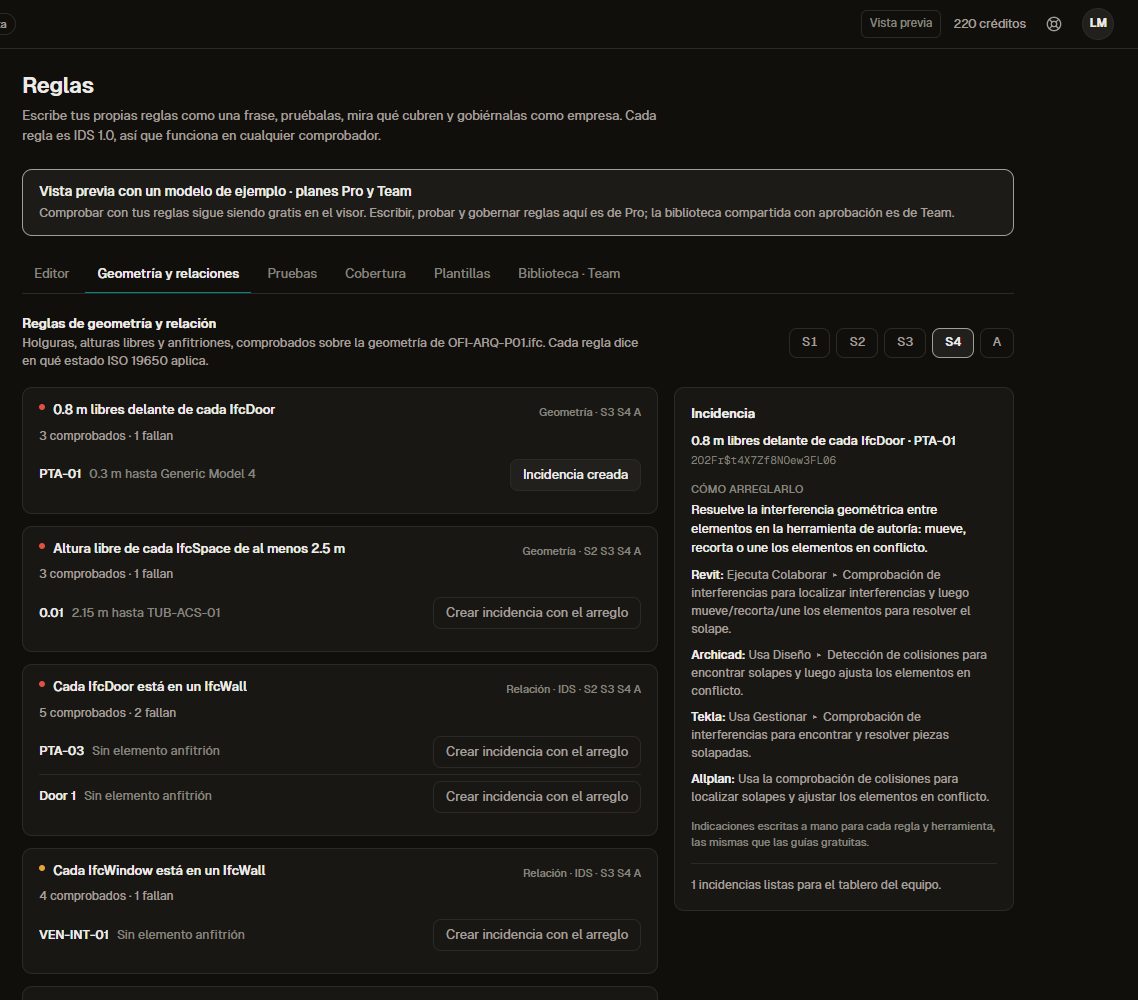
Geometry and relation rules checked on a sample model. -
Preview
Govern them as a company
A shared library with versions, author, review and approval (the author does not approve their own rule), comments and export to IDS.
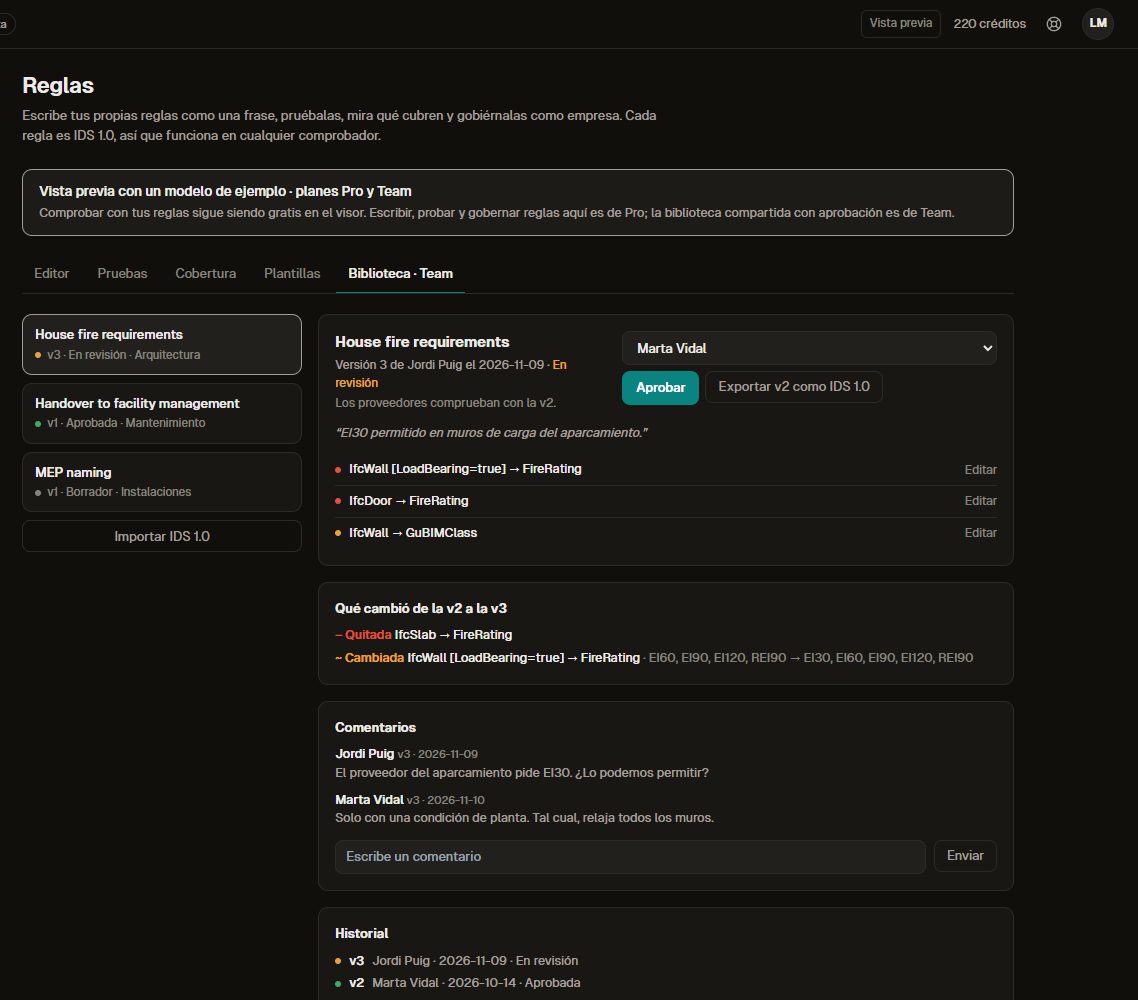
A rule set in review: what changed, who approves it and the history. -
Preview
Run clashes in the browser
Hard and clearance clashes between disciplines, grouped, with rules to ignore what is accepted and an estimated cost for each.
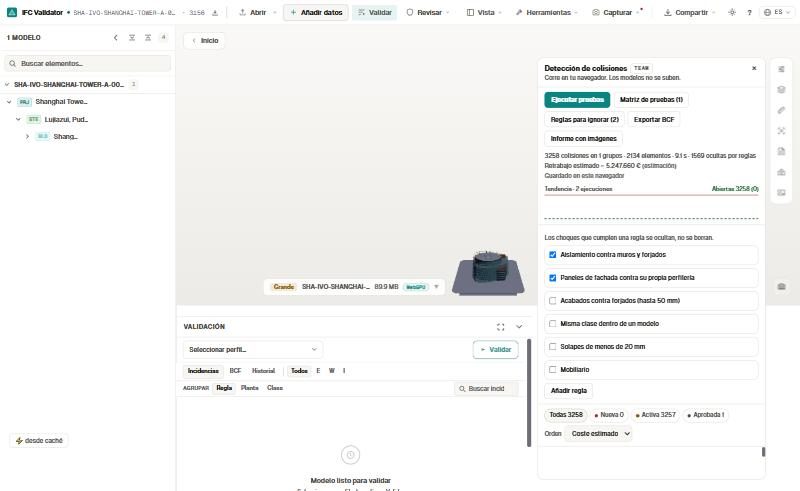
Ignore rules on a tower model: 1,569 of 4,827 results hidden. -
Preview
Turn every failure into an issue with a fix
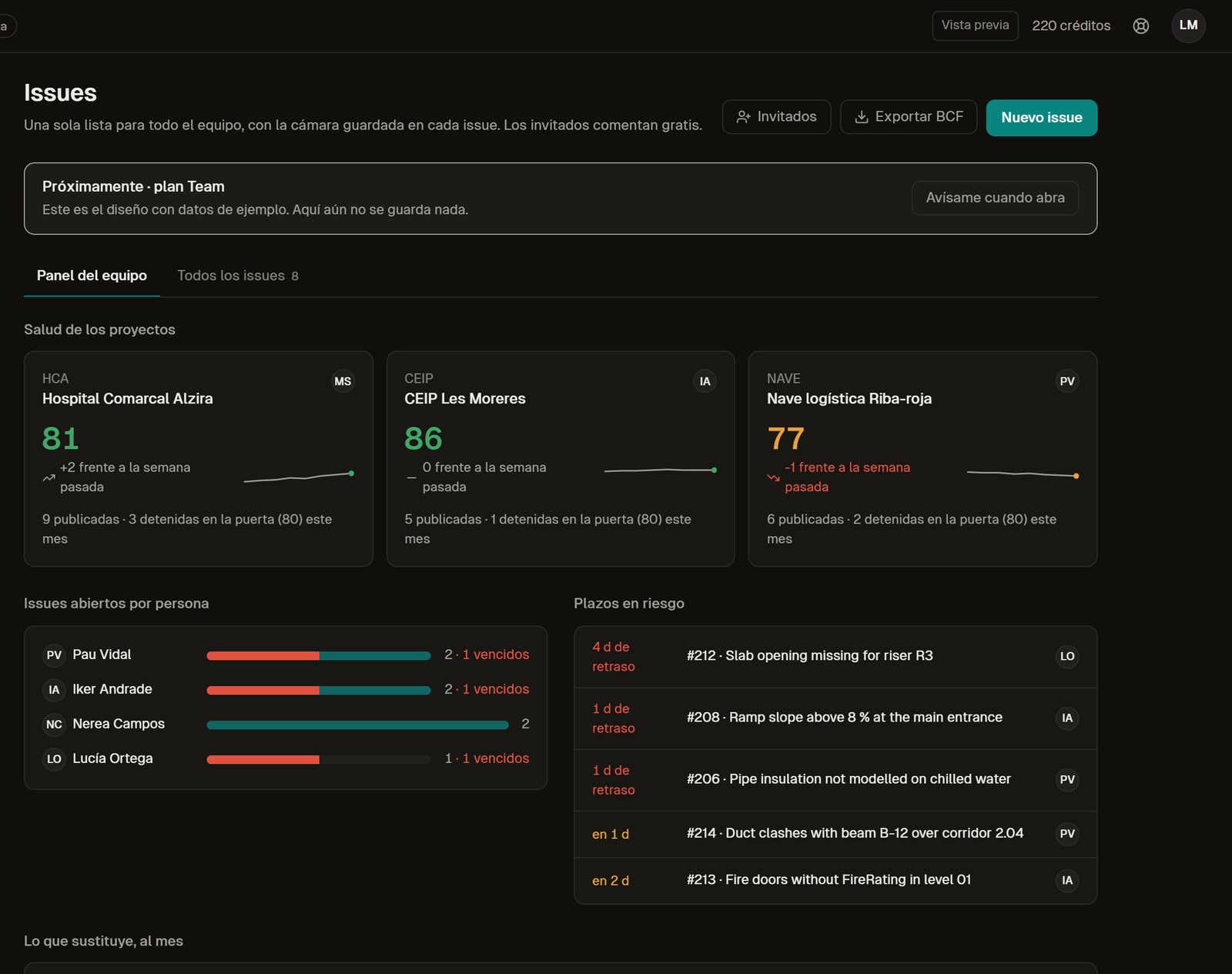
Assigned, with a deadline, the saved camera and a suggested fix per authoring tool from our remediation guides. Guests comment for free; BCF in and out.
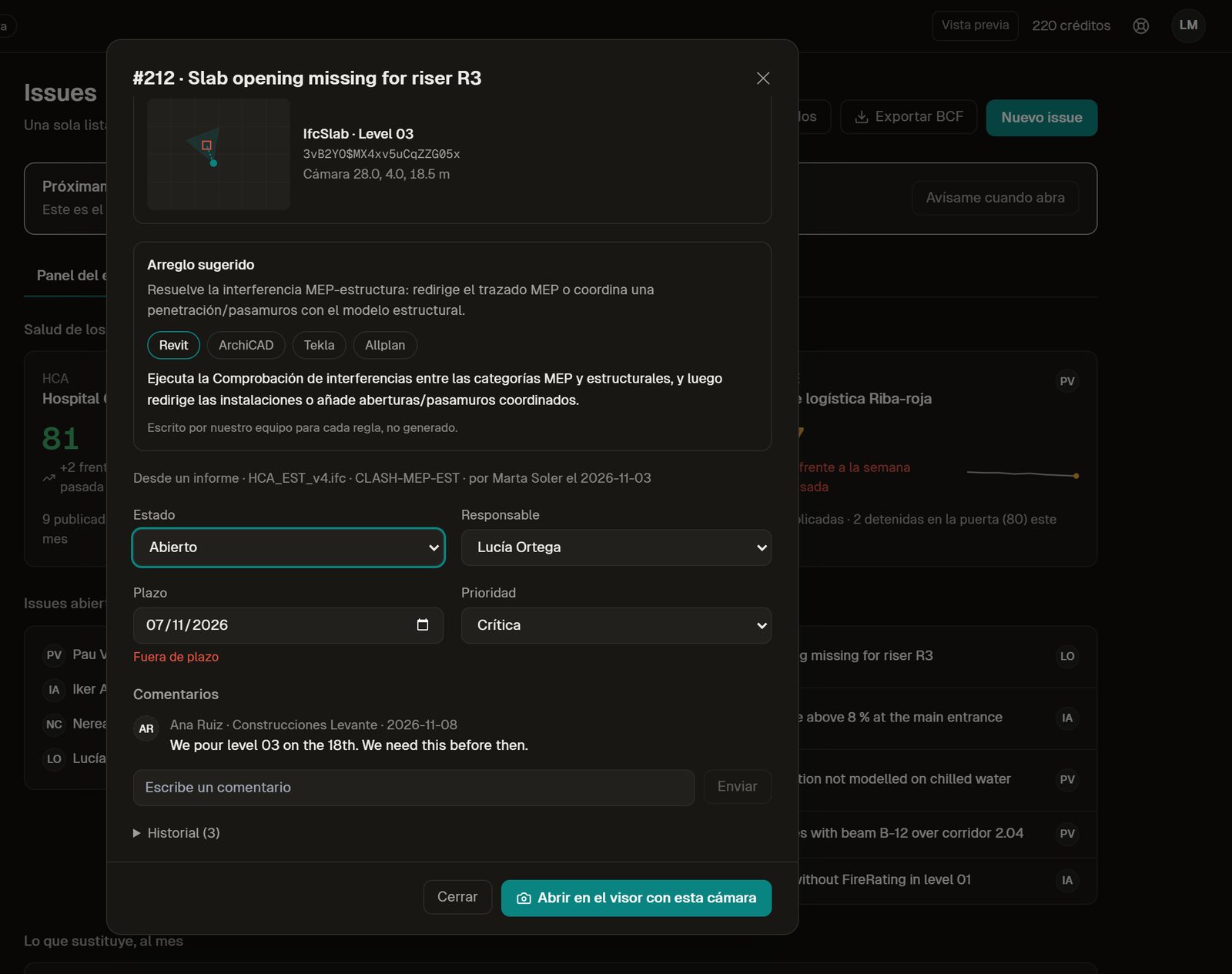
An issue with its suggested fix, owner and deadline. -
Preview
Stop a weak model before it is published
Nothing reaches Published below your minimum score, with an optional reviewer and a history of what passed and why.
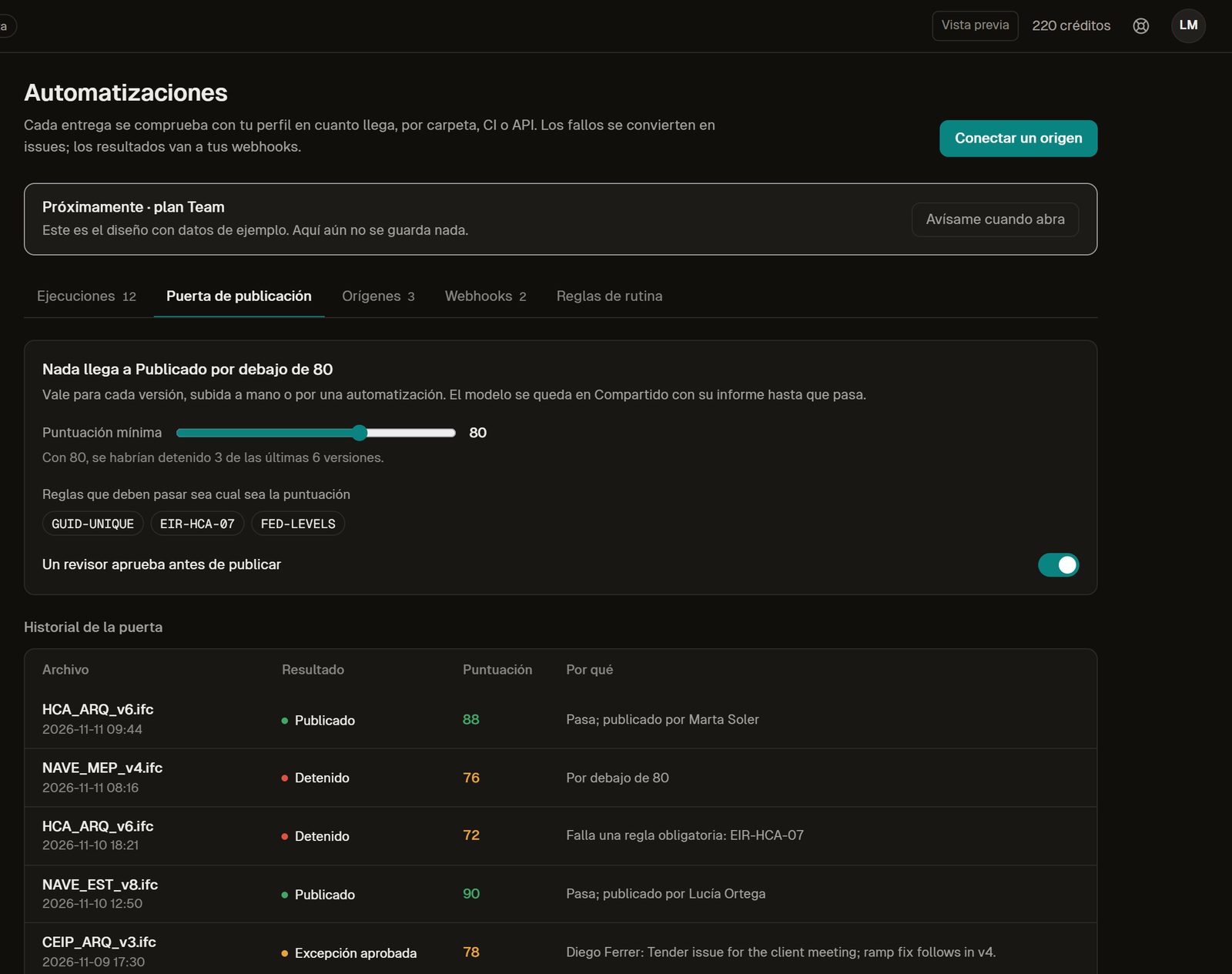
The publish gate and its history. -
Preview
Keep the client informed
Updates by phase built from live data: score, deliveries, issues and milestones. Sending is simulated in the preview.
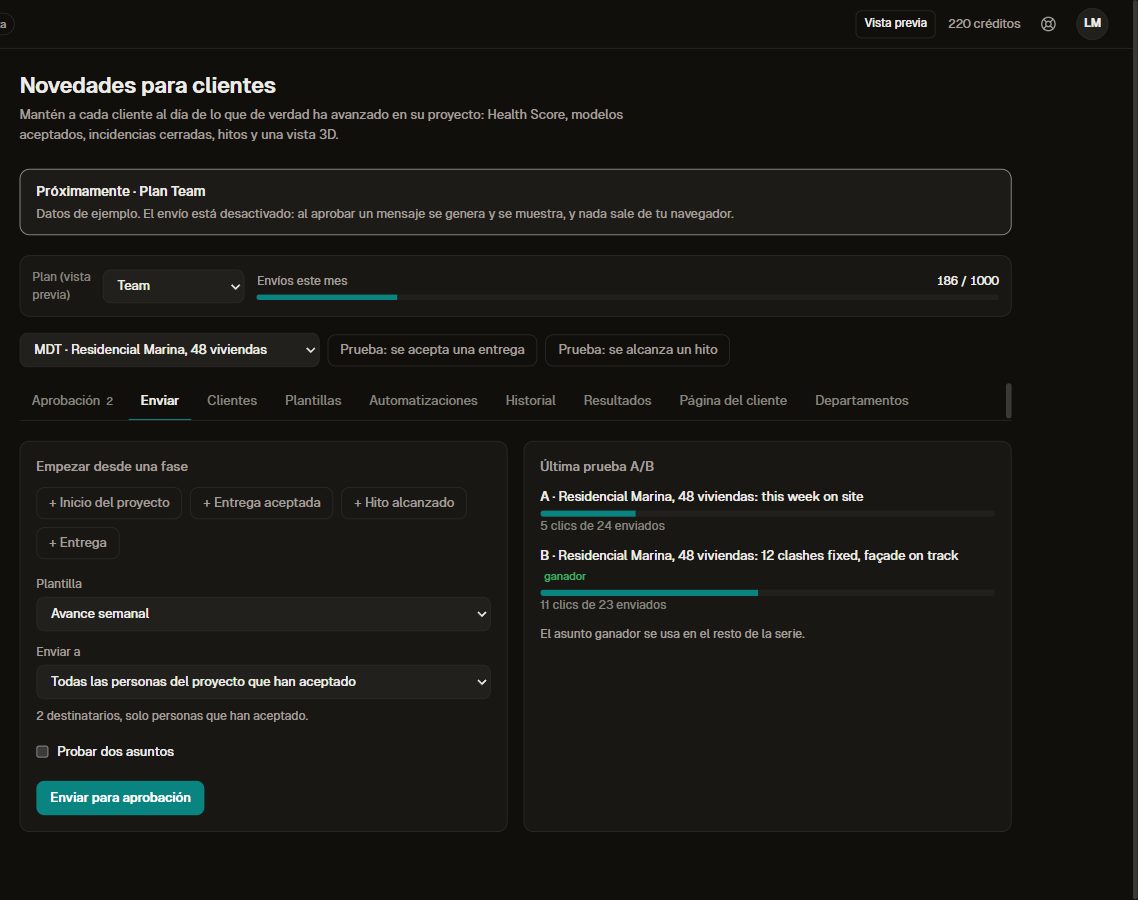
A client update by project phase.
Estimated savings
About 17 hours a month, by our assumptions
An estimate for a team of three, not a measurement. Change the numbers for yours.
| Task | Assumption | Share saved (assumed) | Minutes a month |
|---|---|---|---|
| Checking deliveries before sending | 12 deliveries × 60 min | 60 % | 432 |
| Preparing the clash meeting | 4 meetings × 90 min | 70 % | 252 |
| Reworking returned deliveries | 3 returns × 120 min | 50 % | 180 |
| Writing client updates | 8 updates × 30 min | 70 % | 168 |
| Total | 1,032 min ≈ 17 h |
At €45 an hour that is about €775 a month. Team is planned at €59 per editor a month billed yearly, with three editors minimum (€177 a month), so by these assumptions it pays back about four times its cost.
Comparison
Next to the usual coordination tools
Each vendor column says only what that vendor's own page said on the day we read it.
| BIMcollab | Solibri | IFC Viewer Online Team (preview) | |
|---|---|---|---|
| Published price | Basic €12.50, Advanced €18.75, Enterprise €25 per user a month billed yearly | Per licence a year: Essential €1,428, Advanced €2,109, Premium €2,772 | Planned: €59 per editor a month billed yearly, three editors minimum. Not on sale yet |
| Issues | BCF-based issue management with plug-ins for BIM tools | BCF issue management from Essential | Issues with camera, deadline and suggested fix; BCF in and out (preview) |
| Rules | Clash rules and smart views shared for use in BIMcollab Zoom | Predefined rules from Essential; custom rules from Advanced; rule governance in Premium | Rules as sentences, IDS 1.0, shared library with approval (preview) |
| Guests | One or two guest accounts per paid user, depending on the plan | Not stated on the pricing page | Guests comment for free |
Solibri is the stronger choice for deep rule-based checking on the desktop and BIMcollab for a large issue workflow across tools. Team is for studios that want rules, clashes, issues and the client update in one place, in the browser.
Sources: bimcollab.com/pricing (read on ), solibri.com/pricing (read on )
Free and preview
What works today and what is a preview
Free, available today
- Opening and federating several IFC files in the browser
- Checking each model with your IDS 1.0 and 44 rules
- BCF import and export, comparing versions
- The fix guides for every rule
Team plan, in preview
- Company rule library with approval
- Clash detection between disciplines
- Shared issues with suggested fix, publish gate
- Client updates by phase
FAQ
Questions buyers ask
Can I use Team today?
Not yet. It is designed and shown with sample data. Join the waitlist to hear when it opens. Checking a model with your IDS is free and works today in the viewer.
Is clash detection free?
No. Clash detection between disciplines is a new tool and it will be paid. Opening, federating and checking each model stays free. More in the post on clash detection in the browser.
Can we use our client's IDS?
Yes, and that part is free today. In Team you can also import an IDS into the company library and keep its versions.
Does it replace BIMcollab or Solibri?
Not for every team. See the comparison above, with the prices from their pages and the date we read them.
How much will it cost?
It is planned at €59 per editor a month billed yearly, three editors minimum; guests are free. Prices may change before launch; see the plans.
Can we check a whole folder of models?
That is part of the paid preview too: read how batch validation works.
Sources: bimcollab.com/pricing (read on ), solibri.com/pricing (read on )
Related
Coordinating several disciplines?
Join the Team waitlist and tell us how many editors you have. We will write when it opens.
Join the Team waitlist