IFC Viewer Online · Back to the BIM & IFC blog
Delivery & ISO 19650 · 2026-11-14 · 6 min
The Weekly BIM Coordination Report: What to Put in It, and in What Order
The weekly coordination report is the email other coordinators actually read, if it gets to the point. What to put in it, in what order, and a template filled with the numbers of the federated model.
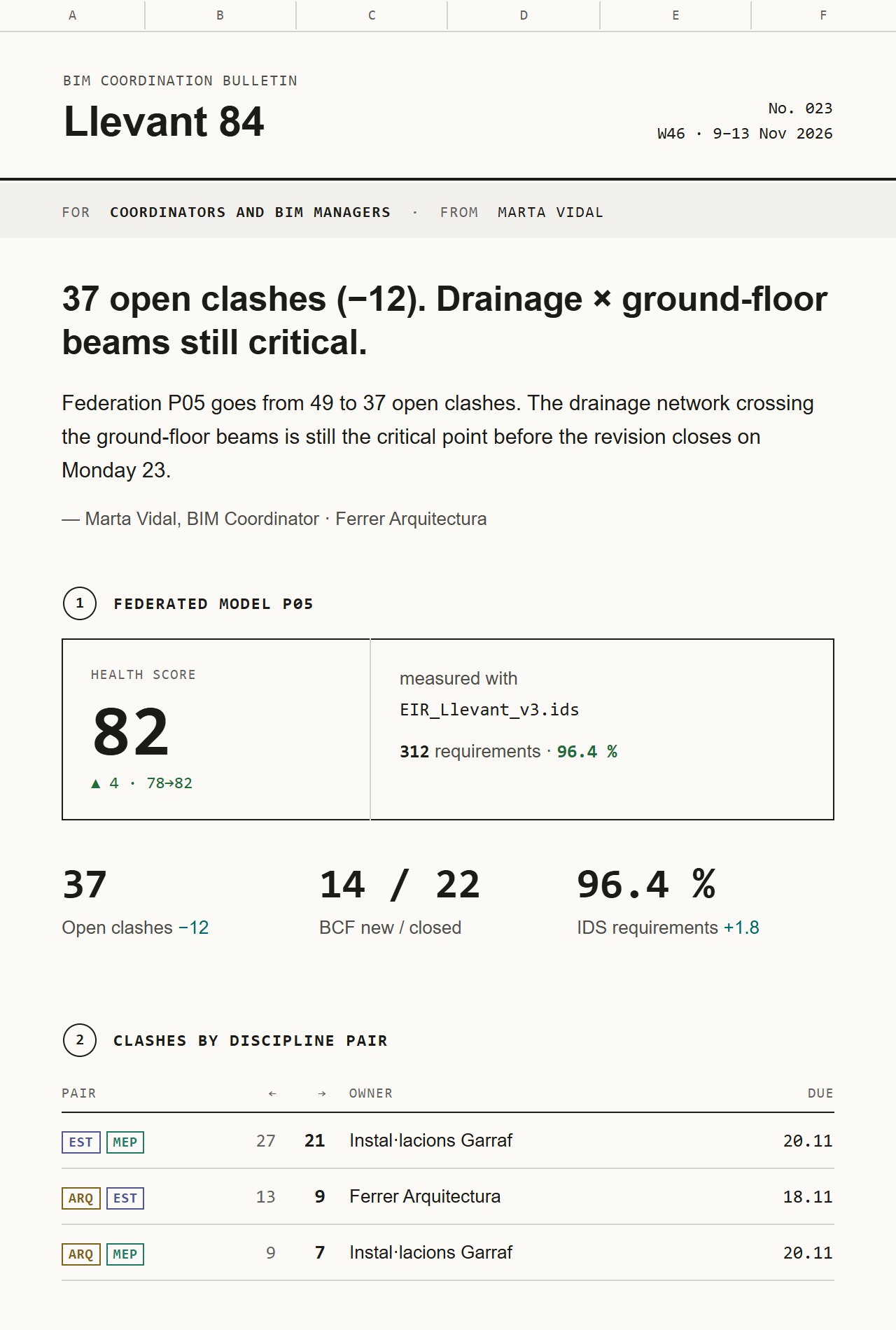 Top of a weekly BIM coordination report: grid axes, masthead, headline with 37 open clashes, Health Score stamp of 82 and three figures
Every Friday a coordinator writes the same email: what changed in the federated model, where the clashes are, who has to do what before the next meeting. It is written from memory, it is too long, and the actions are buried in the fourth paragraph. Yet it is the one email every party reads, because it decides their next week.
Key takeaways
- Start with the news in one sentence, with the number in it.
- Then the state of the model: Health Score, what it was measured against, and the change since last week.
- Clashes by discipline pair, with owner and date, not a total.
- Actions numbered, each with one owner and one date.
- The version log last, for those who need it.
The order, section by section
- The headline is the news "37 open clashes (−12). Drainage × ground-floor beams still critical." The reader knows the trend and the problem before reading anything else. Then two or three sentences of context and the editor's name.
- State of the federated model The Health Score as a stamp: the number, the change since last week, and what it was measured against, such as the project's IDS file and how many requirements pass. Without the "measured against", a score is an opinion. See what the Health Score measures.
- Three figures Open clashes, BCF issues opened and closed this week, the share of IDS requirements that pass. Each with its change. Three is enough; a fourth figure is usually a dashboard in disguise.
- Clashes by discipline pair A total says nothing about who has the work. STR × MEP 27 → 21, ARC × STR 13 → 9: each pair with its owner and its due date. The numbers come from clash detection.
- One model view One capture with a caption that says what it shows: elevation, level, model revision, what is highlighted. And a link that opens the same view in the viewer.
- Actions, owner, date Numbered so they can be referred to in the meeting ("4.2 is done"). One owner per line, one date per line.
- Version log Which container moved from which revision to which, in one line each, with the ISO 19650 name. The people who need it will look; the others can stop reading here.
Template rendered by the product with sample data. Sending is switched off.
Small details that make it read like a document
- Grid axes A to F along the top, like a drawing sheet, so it is recognisable in the inbox.
- Discipline tags (ARC, STR, MEP, FAC) as small labels next to the data, not as decoration.
- Dates and figures in a monospaced column, so they line up and can be scanned.
- A title block as the footer: project, phase, revision, author, date and the ISO 19650 code of the report.
The title block is not decoration. ISO 19650-2 treats project communication as information exchanged during delivery; giving the report a container code means it can be filed and found in the common data environment like any other deliverable. [iso-19650-2] For the naming itself, see the ISO 19650 file naming convention.
The same report on a phone and in dark mode
Half of these emails are read on a phone on site. The template stacks at phone width: the stamp and the figures go one under the other, the owner column of the clash table hides, the title block becomes a list. In dark mode the paper turns dark and the discipline colours switch to lighter versions that still read.
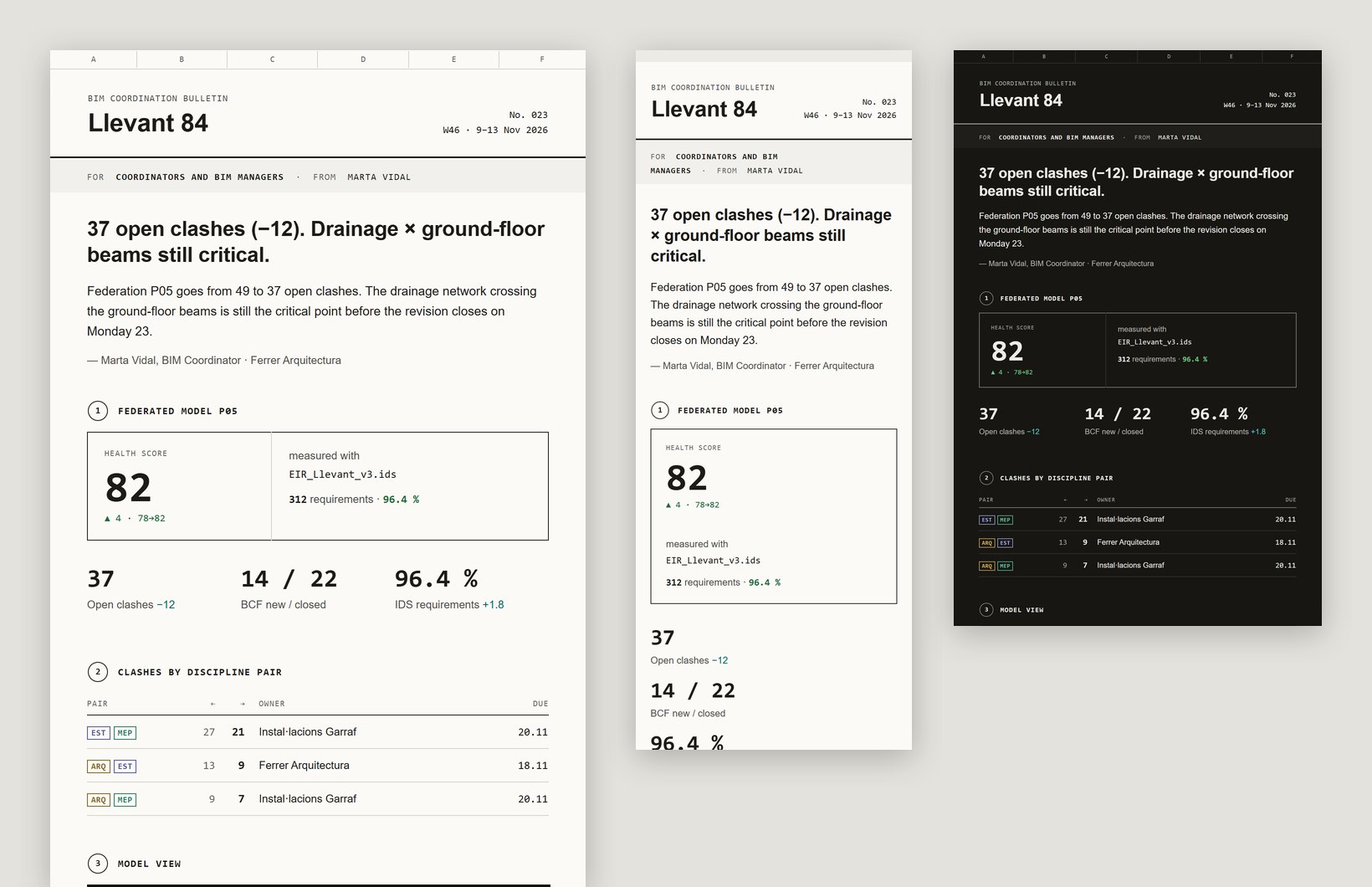 Template rendered by the product with sample data. Sending is switched off.
Project mail is in preview. If you coordinate a project and write these emails every week, join the waitlist and we will open it to you first. [ivo-pricing]
The Weekly BIM Coordination Report: What to Put in It, and in What Order