IFC Viewer Online · Back to the BIM & IFC blog
Delivery & ISO 19650 · 2026-11-14 · 7 min
Ten Email Templates for BIM Coordination, Each Written for One Reader
A client, a subcontractor and a BIM manager need different emails about the same project. Ten templates on one editorial system, each written for one reader and filled with the numbers of the model.
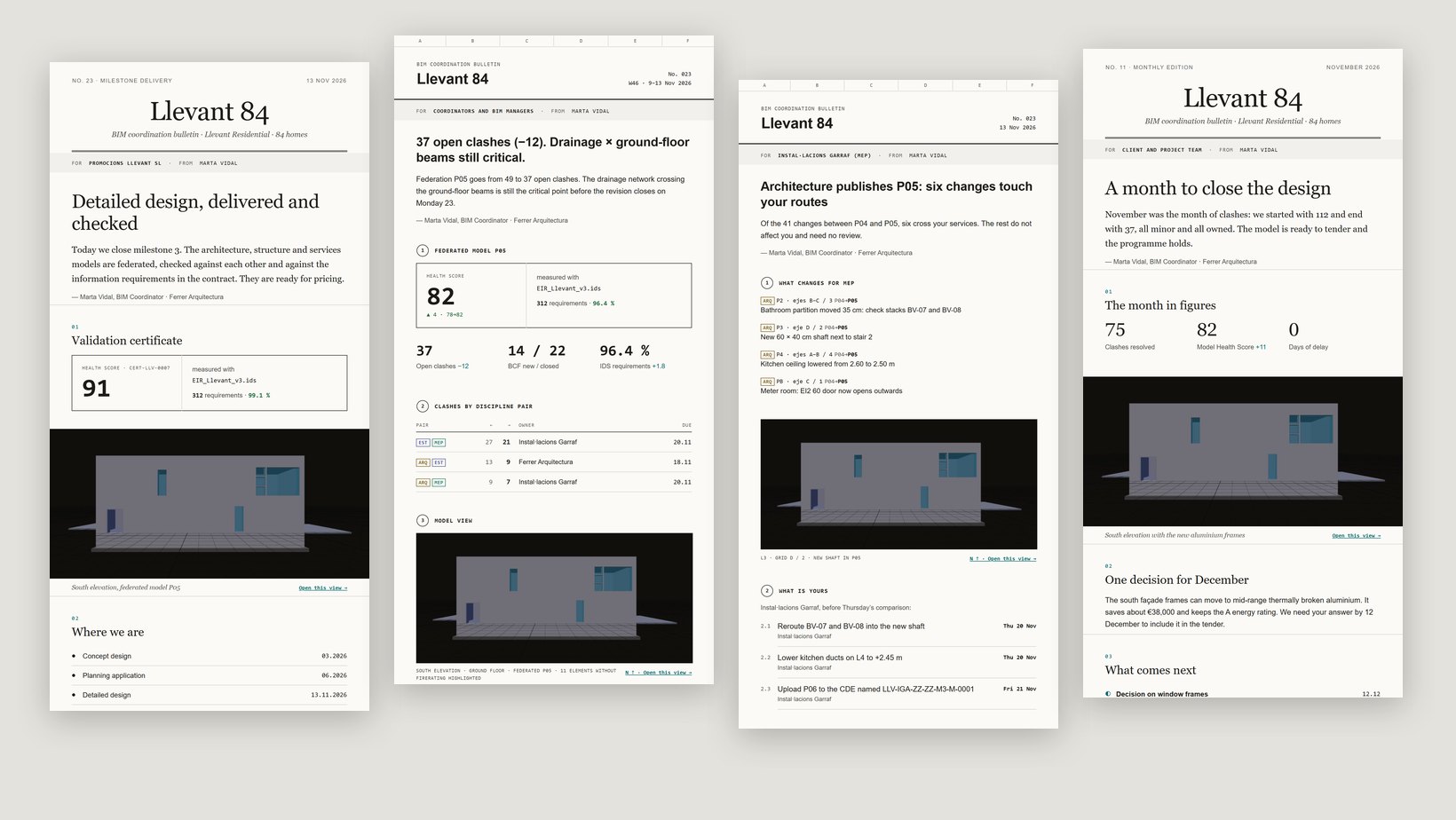 Four project emails side by side: a milestone delivery for the client, the weekly coordination report, a version change for one trade and the monthly newsletter
A BIM coordinator writes to four kinds of reader about the same project, often on the same day. The client wants to know whether things are on track. A subcontractor wants to know what changed for them and by when. Another coordinator wants the clash count, the IDS result and the version log. Procurement wants one decision with a price on it. Most projects answer all four with the same email, or with a PDF nobody opens.
Key takeaways
- Ten templates, each with one reader and one purpose, stated at the top: "For: Instal·lacions Garraf (MEP)".
- Filled with numbers from the model: Health Score, clashes, BCF issues, version changes, failed requirements.
- Two registers on one system: editorial for clients and management, technical for coordinators and trades.
- Readable in five seconds: what happened, what is yours, by when.
The coordinator is the editor, the project is the publication
Good newsletters feel like a publication: a name, an issue number, a date, a voice. We borrowed that idea, not anyone's design. Each project gets its own masthead, every email carries its issue number, and the footer is a drawing title block with the project, phase, revision, author and the ISO 19650 code of the email itself, so it can be filed in the common data environment like any other container.
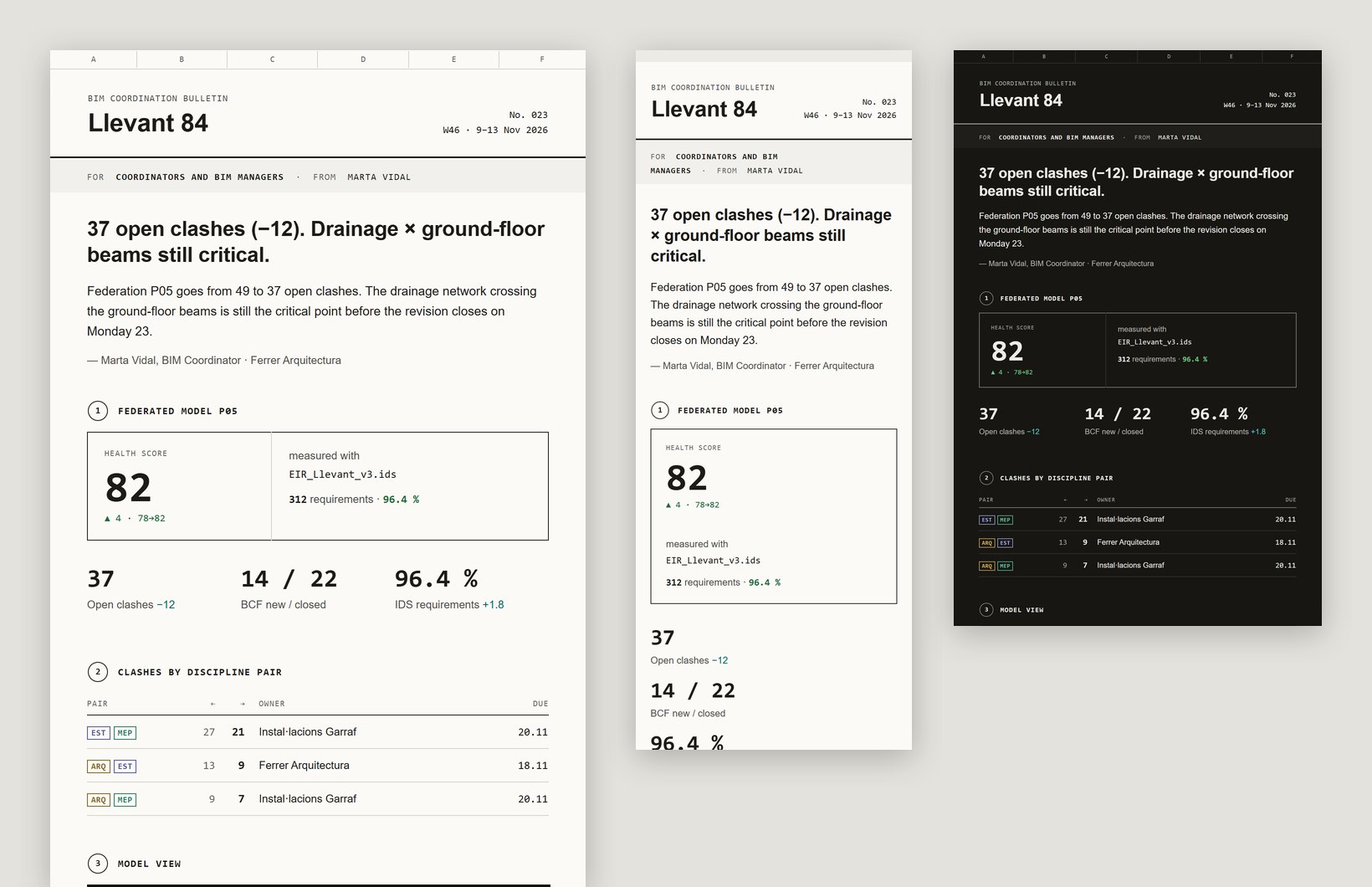 Template rendered by the product with sample data. Sending is switched off.
Ten templates, four readers
| Template | For | What it answers |
|---|
| Weekly coordination report | Coordinators | Health Score, clashes by discipline pair, actions with owner and date, version log |
| New version: what changes for you | One trade | Only the changes that touch that trade's routes, and what to do before the next comparison |
| Clash and BCF summary | Trades and coordinators | Open clashes by pair and the BCF issues due this week, each with its view |
| Milestone delivery with certificate | Client | What is delivered, that it is checked against the contract, and what comes next |
| Monthly project newsletter | Client and team | The month in three figures, one pending decision, the next milestones |
| RFI / pending decision | Internal teams | One question, the options with cost and time, who decides and by when |
| Failed EIR/IDS requirements | One trade | Which requirements fail, on how many elements, and the redelivery date |
| Coordination meeting minutes | Coordinators | Attendees, agreements, owners and dates on one page |
| Welcome to the project | New agents | How files are named, delivery rules, who to ask |
| Phase close and lessons learned | Management | Delivered on time or not, what it cost, three lessons |
Each template states its reader in the band under the masthead.Editorial for the client, technical for the trades
A client reads an email the way they read a report: a headline that says what happened, a short paragraph, a picture of the building, a stamp that shows the model was checked. So the client templates use a large serif masthead, generous space and the model view at full width with a caption.
 Template rendered by the product with sample data. Sending is switched off.
A subcontractor reads an email the way they read a drawing. The technical templates take their look from one: grid axes along the top, numbered sections, tables with discipline tags, dates in a monospaced column so they line up. Colour appears only where something has a state, such as a requirement that fails or an issue that is open.
 Template rendered by the product with sample data. Sending is switched off.
What makes an email readable in five seconds
- Who it is for, at the top. "For: Fusteria Metàl·lica Besòs (FAC)" tells the reader before the first sentence that this one is theirs.
- A headline that is the news. "Three requirements to fix before P02 is accepted", not "Weekly update".
- One figure per idea. The Health Score with its change, open clashes with their change; no dashboards.
- A "What is yours" section with an owner and a date on every line.
- One button that opens the model at the right view, not a list of links.
Built like email, not like a web page
Email clients are old browsers with odd rules. Every template is built with tables and inline styles, Outlook-only conditionals and a button that also draws in Outlook, fonts every client has (so nothing depends on a web font), a dark version, and a layout that stacks at 375 px. Each one has a plain-text version written block by block and a preview line. Every template stays under the size at which Gmail starts clipping messages. [gmail-clipping] There is no tracking pixel.
Edit a template in the workspace
The gallery shows every template with a live thumbnail and a filter by reader. Open one and you can reorder blocks, hide the ones you do not need, rewrite the headline and the notes, and insert a model capture or a validation report with one click. The preview switches between desktop, phone and dark, and shows the weight of the email.
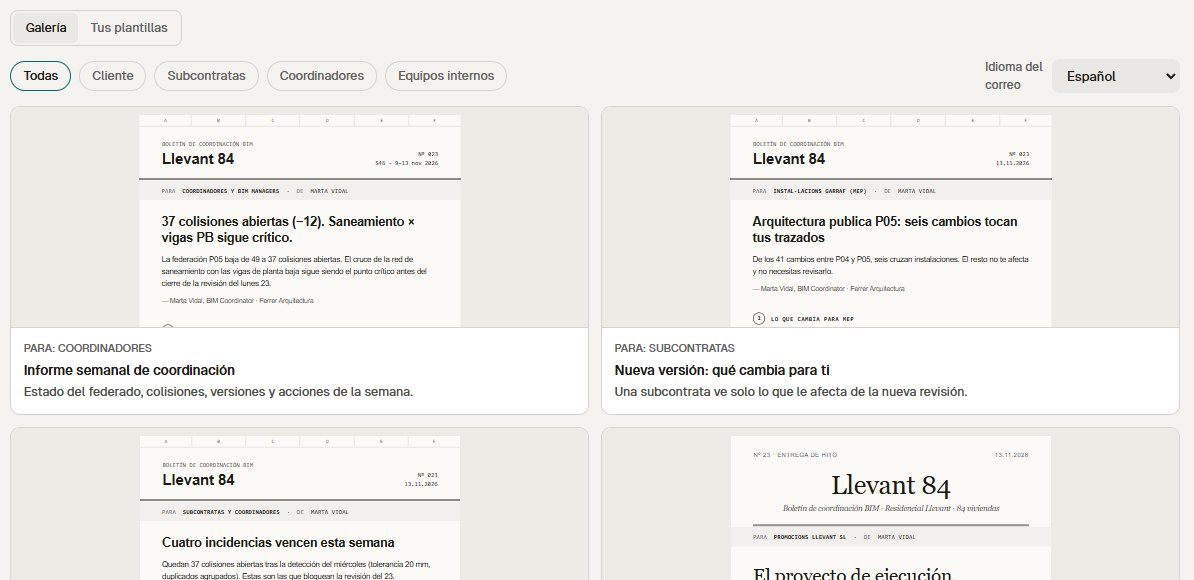 Preview of the workspace with sample data, Spanish interface. Sending is switched off.
 Preview of the workspace with sample data, Spanish interface. Sending is switched off.
What is free and what is planned
Opening, checking and sharing a model in the viewer stays free, as today, and so does the Health Score. Project mail needs a server to send, so it is planned for Team and above.
Project mail is in preview. If you coordinate a project and write these emails every week, join the waitlist and we will open it to you first. [ivo-pricing]
References
- ISO 19650-2:2018, delivery phase of the assets — ISO. Defines the information exchanges of the delivery phase, including the task information delivery plans each party works to.
- Email sender guidelines and message size — Google Workspace Admin Help. Google's guidance for senders to Gmail. The 102 KB point at which Gmail clips a message is widely reported by email developers rather than stated on this page; we keep every template under it.
- IFC Viewer Online plans — IFC Viewer Online. Planned prices of the paid plans, which are not open yet.
Ten Email Templates for BIM Coordination, Each Written for One Reader