Back to the BIM & IFC blog
Digital twins · 2026-08-21 · 12 min
Real-Time LiDAR + IFC in the Browser: MCAP Replay Demo
Run the actual web replay interface and learn the bounded buffers, binary frames and telemetry behind an honestly labelled simulated IFC + LiDAR stream.
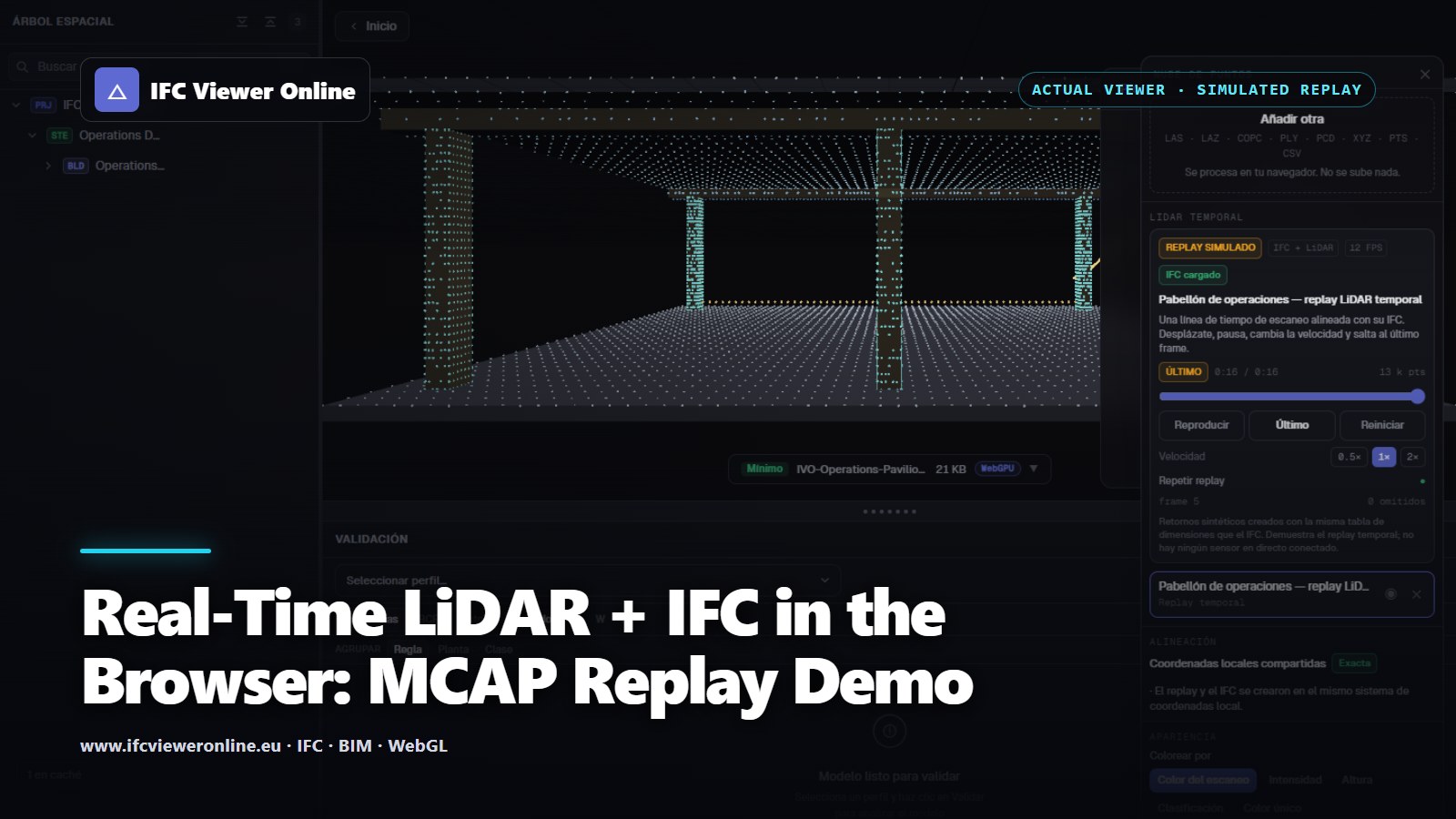 Cover titled Real-Time LiDAR and IFC over an actual viewer capture showing the simulated temporal replay aligned with a pavilion
A video of a point cloud and a live point-cloud stream are not the same product. Video has fixed pixels and mature hardware codecs. A temporal point cloud has coordinates, attributes, poses and timestamps that users may inspect or compare with IFC. That flexibility creates a harder transport and memory problem.
The architecture below treats recordings and live sources as two adapters feeding one bounded frame contract. It lets a team validate playback, seeking, corruption handling and GPU updates with recorded data before purchasing or integrating a sensor.
 The browser receives bounded, validated frames; filtering and coordinate normalization belong at the edge.
Try the Temporal IFC + LiDAR Replay
The following live example generates a deterministic scan front around the matching IFC pavilion. The same frame passes through binary encoding, CRC validation and a fixed three-slot transport buffer before it reaches the GPU. Switch to the full viewer to inject deterministic loss, reordering, corruption and a reconnect window.
Operations Pavilion — simulated temporal LiDAR
A 16-second, 12 FPS simulated scan aligned to a bundled IFC4 pavilion. This proves the playback pipeline; it is not a physical-sensor claim.
 Simulated LiDAR is playing — drag to orbit
Actual product capture: the temporal source is a deterministic simulated replay, while parsing, buffering, GPU updates and IFC alignment run in the real viewer.
Simulated LiDAR is playing — drag to orbit
Actual product capture: the temporal source is a deterministic simulated replay, while parsing, buffering, GPU updates and IFC alignment run in the real viewer.
The Minimum Frame Contract
A transport packet needs more than XYZ values. Sequence numbers reveal loss and reordering. Nanosecond timestamps align points with video, pose and annotations. A declared origin keeps large world coordinates out of Float32 GPU vertices. Attribute flags prevent the UI from pretending that intensity or classification exists when the source never provided it.
| Field | Why it exists | Failure caught |
|---|
| sequence | Monotonic frame identity | Loss, duplicate or reorder |
| timestampNs | Common temporal reference | Video/pose drift |
| origin + bounds | Local precision and culling | Jitter or absurd allocation |
| pointCount + stride | Payload budget | Truncated or malicious packet |
| attribute flags | Explicit semantics | Invented RGB/intensity/class |
| CRC32 | Payload integrity | Corruption in storage or transport |
Backpressure: Newest Valid Frame Wins
A reliable network stream can still produce a bad live experience. If decoding takes 120 ms while frames arrive every 80 ms, a normal queue grows forever and the viewer becomes a delayed recording. The correct live policy is bounded: retain two or three reusable slots, reject invalid frames, discard superseded pending work and present latency and drop counts to the user.
Unbounded queue
- Latency grows during a slow period
- Old frames consume memory and decoder time
- The UI still says connected while showing the past
- Recovery can take longer than the incident
Bounded live buffer
- Memory stays constant
- The freshest valid frame replaces stale work
- Drops and age remain visible
- Recovery is immediate when capacity returns
MCAP for Recording and Reproducible Replay
MCAP is a modular container for timestamped publish/subscribe messages with arbitrary serialization. Its chunks and indexes support lookup by time and topic, which is exactly what a replay timeline needs. The MCAP format specification describes the container and random-access summary records.
Container compatibility is not message compatibility. ROS publishes organized or unordered points through sensor_msgs/PointCloud2; Foxglove defines its own PointCloud schema. The demo MCAP uses a versioned application payload, so importing either ecosystem requires a named adapter rather than hopeful byte casting.
Recorded first
A licensed fixture makes pause, seek, reconnect and regression tests reproducible before hardware integration.
Live adapter second
WebSocket or WebTransport changes delivery, not the frame semantics consumed by the renderer.
Visible telemetry
Latency, frame age, loss, reordering, invalid packets and reconnects belong in the product UI.
Fault injection
Deterministic faults turn conference Wi-Fi failure from a surprise into a rehearsed state transition.
For static measured context, return to the IFC + point-cloud Scan-to-BIM workflow. For a pixel-based resource that can use hardware video codecs and still sit inside the 3D scene, see IFC + video on 3D terrain.
Real-Time LiDAR + IFC in the Browser: MCAP Replay Demo