Back to the BIM & IFC blog
Digital twins · 2026-11-02 · 4 min
IFC, Point Cloud, Plans and Live Data in One Scene
Most tools handle one kind of data well and make you export the rest. This scene takes models, scans, sheets and sensors together, in the same coordinates.
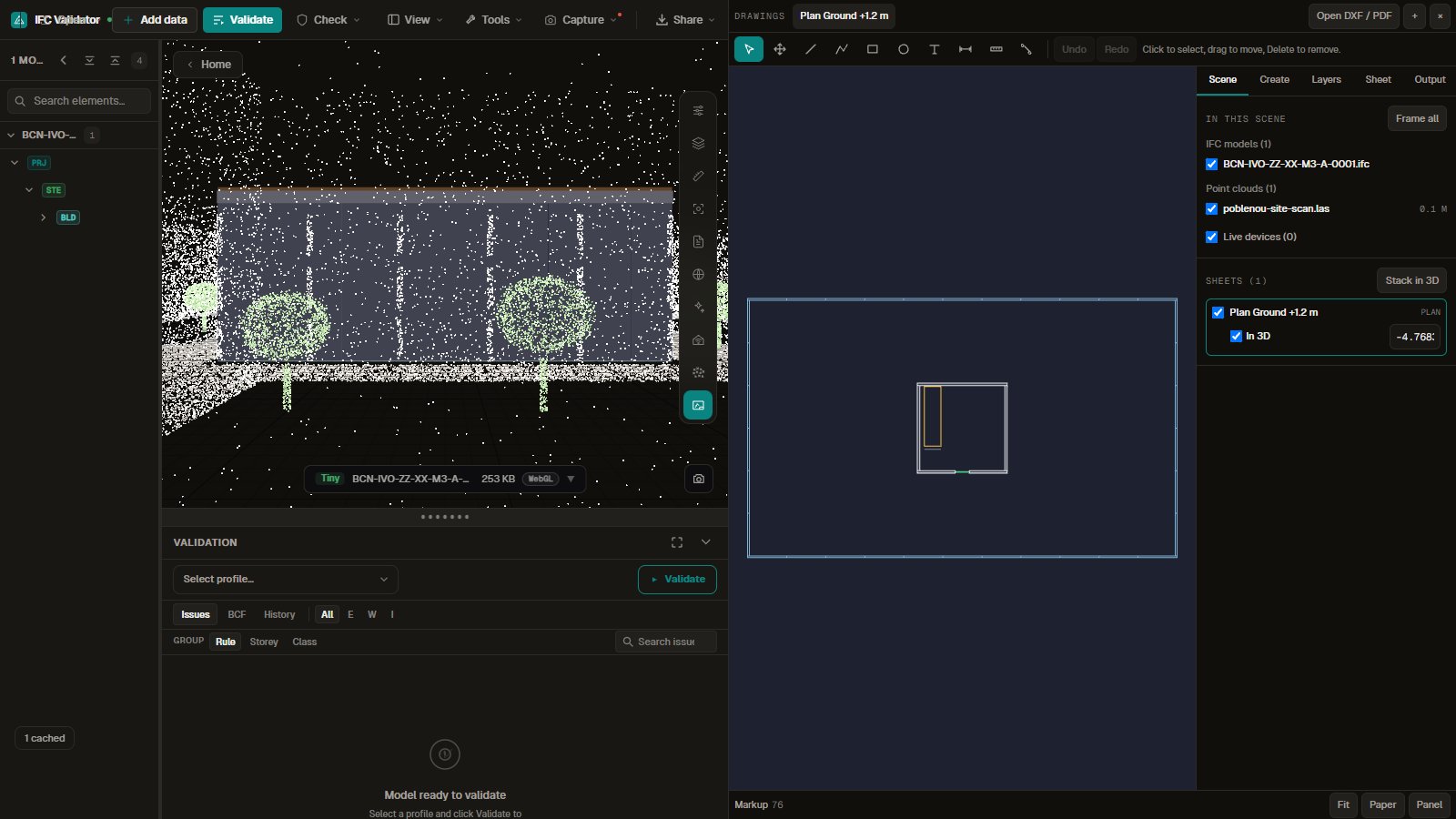 Building model with a laser scan around it in 3D, next to a list of the models, scans and sheets in the scene
The architect sends an IFC, the surveyor a LAS file, the contractor a PDF, and the sensors live in a dashboard somewhere else. Comparing them usually means exporting, converting and hoping the origins match. Here they all load into one scene.
Try the scene
A small IFC, a laser scan and a floor plan cut from the model, laid out together. Turn it in 3D and switch each source on and off in the Scene tab.
Open the interactive IFC viewer
Key takeaways
- One scene and one coordinate system for models, scans, sheets and devices.
- The Scene tab lists every source with its own switch.
- Stack in 3D lays each plan at its own level, inside the scan.
- Files stay in your browser.
What each source adds
| Source | Answers | Read from |
|---|
| IFC model | What was designed, with its properties | IFC 2x3, 4, 4.3 |
| Point cloud | What is actually there | LAS, LAZ, COPC, PLY, PCD, XYZ |
| Plan | What the drawing says | DXF, PDF, or cut from the IFC |
| Live device | What is happening now | Live sources bound to elements |
Why it matters in a review
Disagreements between sources are usually what a review is looking for: a wall that is not where the plan says, or a sensor on the wrong room. When they share a scene you see that directly, and you can measure it against the scan.
IFC, Point Cloud, Plans and Live Data in One Scene