IFC Viewer Online · Back to the BIM & IFC blog
Digital twins · 2026-11-18 · 6 min
A City Digital Twin on Your Phone: the Barcelona Demo in Safari and Chrome
Eight IFC models of Plaça de Catalunya on a 3D map of Barcelona, opened from a link on a phone. What mobile Safari does when a page uses too much memory, and what the viewer does so the twin stays open.
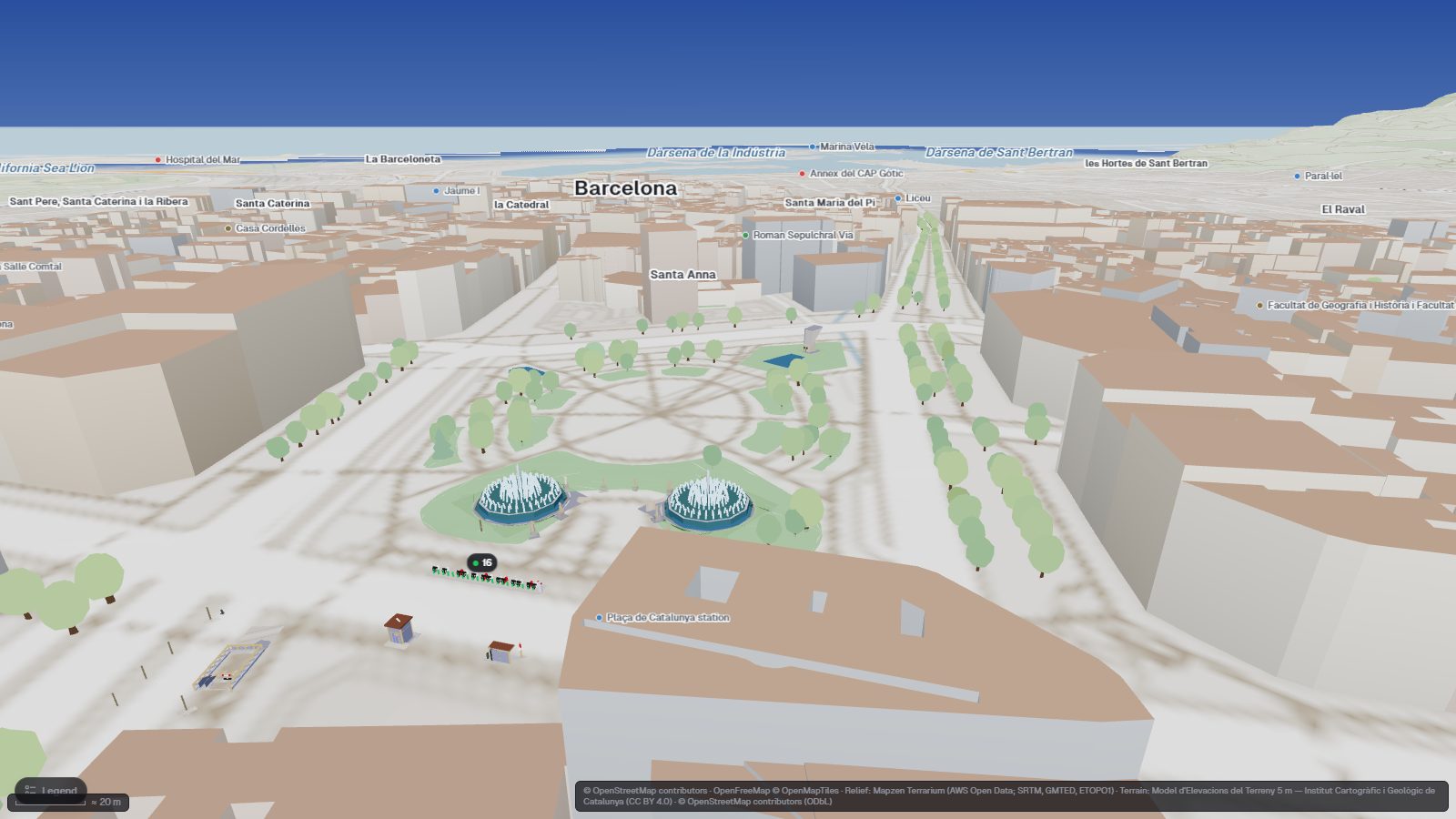
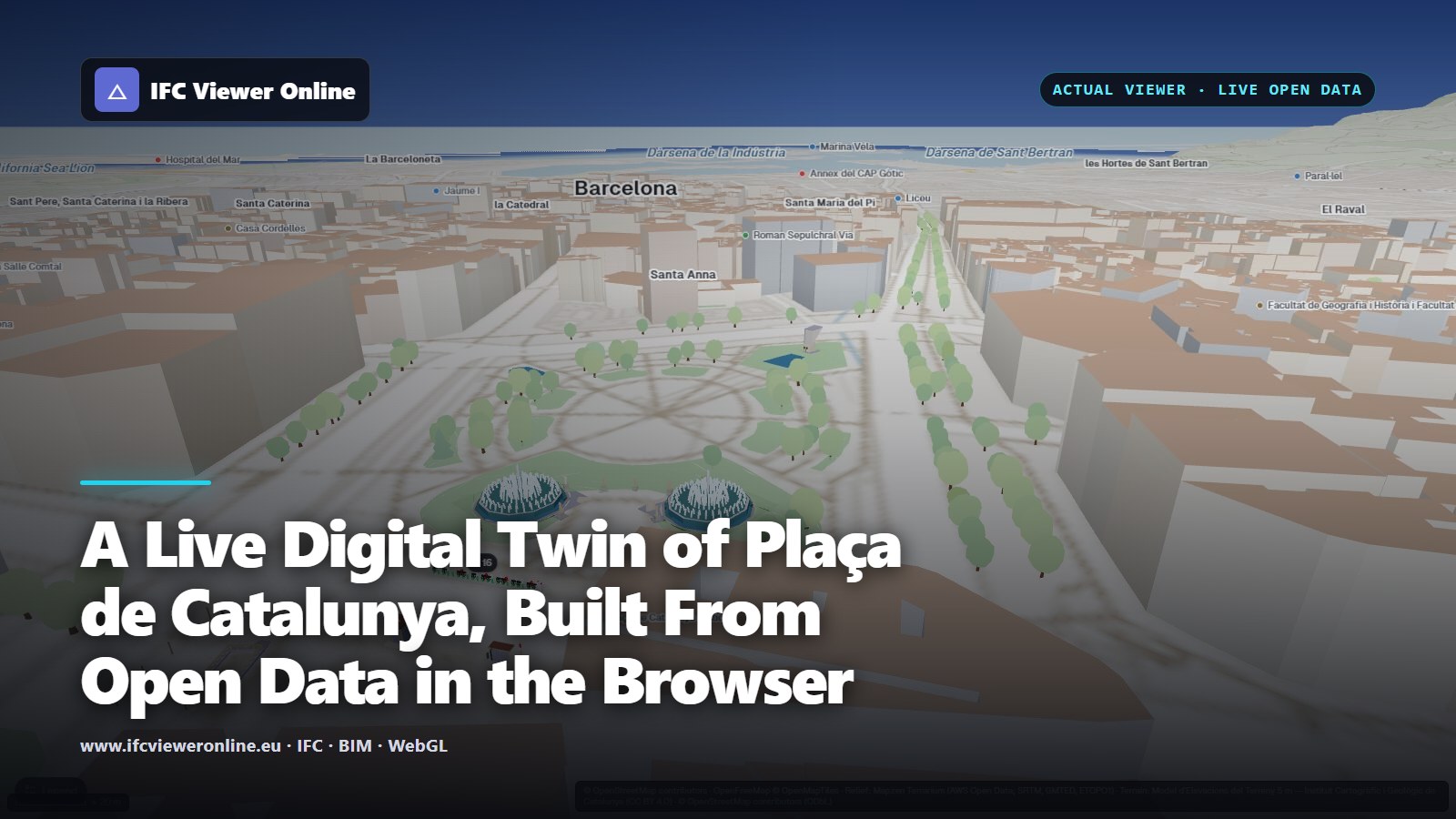 Plaça de Catalunya in IFC Viewer Online: IFC models on the 3D map of Barcelona with live Bicing data
A digital twin that only opens on a workstation is hard to share. The person who needs to see it is often on site, in a meeting, or reading a message on a phone. So we opened the Barcelona demo, eight IFC models of Plaça de Catalunya on a 3D map with live city data, on phones, and fixed what broke.
Key takeaways
- The twin opens from a link in Safari on iPhone and Chrome on Android. Nothing to install.
- iOS ends a tab that uses too much memory, without warning the page. Safari then reloads it.
- On phones the viewer draws a lighter map: fewer map tiles kept in memory, tiles at normal resolution, a quarter of the decorative objects.
- If the map crashed the tab anyway, the next load opens it in safe map mode instead of crashing again.
Try it on your phone: Plaça de Catalunya
Opens the eight IFC models on the terrain of Barcelona with the live layers. Works in mobile Safari and Chrome.
Open the interactive IFC viewer
What is in the demo
Eight georeferenced IFC models (a Bicing station, the fountains, a monument, metro entrances, an EV charger) stand on the terrain of the square, with the OpenStreetMap city around them. Bike-share, charging, traffic and air quality come straight from Barcelona's open data[opendata-bcn] to the visitor's browser. How the scene is built is in the Barcelona digital twin from open data.
The limit you cannot see: memory in mobile Safari
On a desktop, a heavy page gets slow. On an iPhone, it gets ended. iOS gives each tab a memory budget, and when a page goes over it, the system closes the tab's process. The page receives no event and no error. Safari shows a short notice that the page was reloaded because a problem occurred, and starts it again from the top.
Apple does not publish a fixed limit, and a web page cannot ask: the Device Memory API that Chrome supports is not available in Safari.[webkit-memory] So the viewer does not try to guess the number. It treats every iPhone and iPad, and every phone, as a device with tight memory.
What fills memory in a city twin is not one big thing. It is the map tiles kept for when you pan back, the terrain, the 3D buildings around the models, the trees and street furniture, and the IFC geometry itself, all at the same time.
How the viewer adapts on a phone
| Desktop | Phone or tablet |
|---|
| Map tiles kept in memory | Up to 300 | Up to 80 |
| Tile resolution | Follows the screen density | Planned at normal density |
| Decorative objects (trees, furniture, boats) | Full | A quarter |
| Georeferencing of the models | In parallel | One model at a time |
What changes on devices the viewer treats as low on memory: all phones and tablets, and computers that report 4 GB or less.None of this removes the models or the live data. The buildings, the terrain and the IFC stay; what goes is the part of the scene that only decorates it.
Safe map mode, after a crash
Even with a lighter map, an older phone can run out of memory. The usual result is worse than the crash itself: the page reloads, restores the same heavy layers from your saved settings, and is ended again.
So just before the heavy layers start, the page leaves a note for that tab. If the map stays stable for 20 seconds, or you leave the page normally, the note is removed. If the page starts and the note is still there, the previous attempt died. That load opens in safe map mode: no terrain, no 3D buildings, no vehicles, extra layers off, a simple context. It applies only to that tab and that visit; your saved settings are not touched, and you can turn the layers back on one by one.
Tips for opening a twin on a phone
- Close other heavy tabs Tabs share the phone's memory. A map or video in another tab leaves less for the twin.
- Start with the models, then add layers Open the scene, wait for the models, then turn on 3D buildings or extra layers if you need them.
- Use landscape for the map More of the square fits, and the panels take less of the view.
- If Safari reloads, let safe mode load Then turn on only the layer you need for what you want to show.
Opening your own IFC on a phone works the same way, without the city around it. On folding phones the model and its data can sit on separate screens: see an IFC viewer for foldable phones. For what makes a city twin more than a 3D map, read what an urban digital twin is, with live examples.
References
- Device Memory API: browser compatibility — MDN Web Docs. navigator.deviceMemory is not available in Safari, so a page cannot ask an iPhone how much memory it has. Read on 18 November 2026.
- Open Data BCN — Ajuntament de Barcelona. The traffic, charging and air quality feeds in the demo, CC BY 4.0.
A City Digital Twin on Your Phone: the Barcelona Demo in Safari and Chrome