Free · No Solibri plan · The file is not uploaded
Solibri WebChecker alternative that checks the IFC in your own browser
Solibri WebChecker (Beta) runs Solibri's checking engine online: you upload an IFC, it is checked on Solibri's service, and you download a PDF or BCF. It comes with the Advanced and Premium plans. If you need a web check without a plan, or without uploading the model, this page does it in your browser, with fewer checks.
No account and no tokens. Up to 2 GB per file.
Sources: solibri.com/solutions/webchecker · read on
Comparison
Solibri WebChecker and IFC Viewer Online
The WebChecker column is taken from Solibri's own page.
| Solibri WebChecker (Beta) | IFC Viewer Online | |
|---|---|---|
| Access | Included in Solibri Advanced (from €2,109 a year) and Premium (from €2,772). Not in Starter, Essential or Security+, and "not a standalone product". Needs a Solibri ID | Open the page. No account |
| Cost per check | 50 tokens. Advanced includes 1,750 tokens a year (about 35 checks), Premium 17,500 (about 350). Extra tokens: 5,000 for €250, 10,000 for €450, 25,000 for €750 | Free, any number of checks |
| Where the model goes | Uploaded. Data residency in the EU or the US, chosen at project setup | It stays in your browser tab |
| Results kept | 30 days | Until you close the tab; export what you need |
| File size | Up to 5 GB per IFC file | Under 2 GB, and less on a computer with little memory |
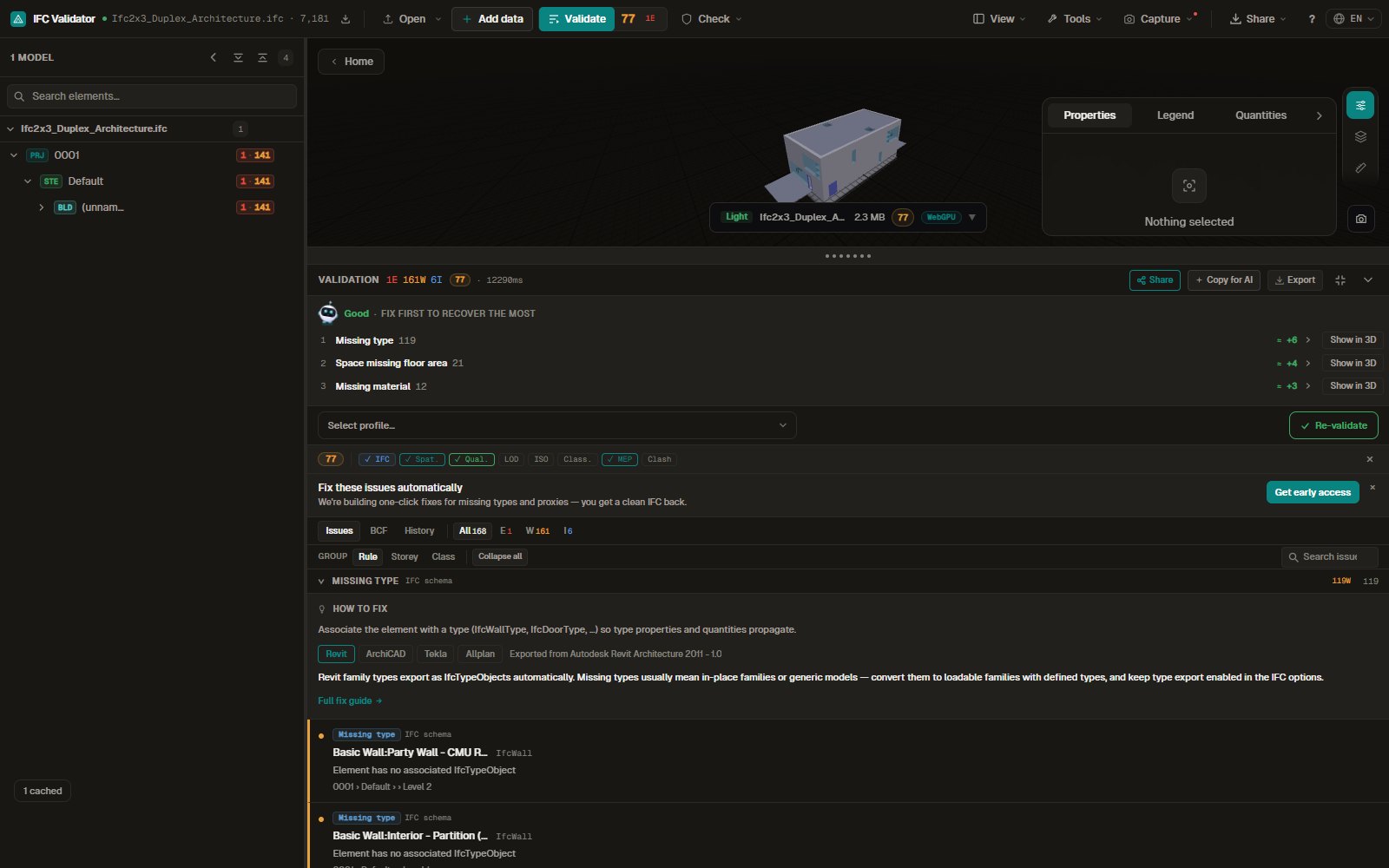
| Checks | Model Health check (structure and classification, naming and identifiers, key properties through IDS-based checks, hard geometric clashes between disciplines), or a custom .cset ruleset made in the desktop application | 44 fixed rules and IDS 1.0 files. Clash by bounding box inside one model only |
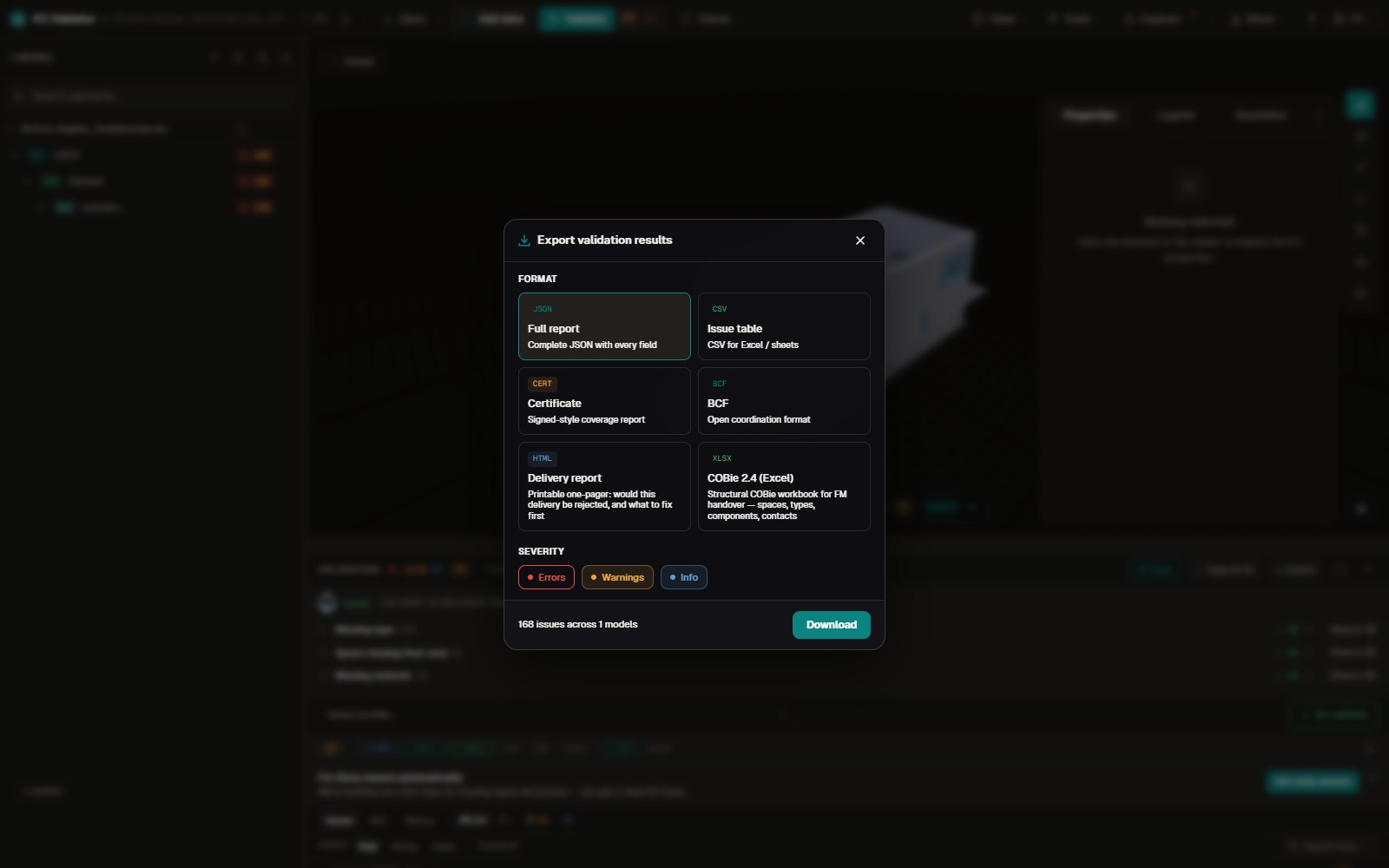
| Results | PDF and BCF (1.0, 2.0, 2.1 or 3.0); SMC files for Premium users | BCF 2.1, CSV, JSON, HTML report, COBie spreadsheet |
WebChecker is the better tool when your BIM team already maintains Solibri rulesets and wants project participants to run exactly those, when files are larger than 2 GB, or when you need hard clashes between disciplines in the report.
This page is the better tool when you have no Advanced or Premium plan, when the model may not be uploaded, or when you check often and do not want to count tokens.
Sources: solibri.com/solutions/webchecker, solibri.com/pricing · read on
Scope
What this check covers, and what it does not
It checks
- Identifiers, spatial structure, storeys, names, property values, types and materials: 44 rules, 25 on by default.
- IDS 1.0 files with their six facets.
- Five built-in validation profiles, or your own naming patterns and required property sets.
It does not check
- Solibri rulesets. A .cset file cannot be loaded here.
- Hard clashes between disciplines, accessibility rules or space analysis.
- Files of 2 GB or more.
Sources: solibri.com/solutions/webchecker · read on
Your file
What happens to the file
The IFC is read by code running in your browser tab and is not uploaded. The browser keeps a converted copy of the geometry in its private storage on your computer (up to 4 GB) to reopen it faster; clearing the site data removes it.
Usage statistics without cookies record the file size and the number of elements, never the content, and can be switched off. A share link, if you create one, carries the score, the file name and up to 50 issues inside the URL.
Try it
Run a check on a sample model
The demo below loads the validator in this page.
Price
What it costs
Nothing, and there are no tokens. The viewer, the rules, IDS and the exports are free without an account. The code is public under the MIT licence on GitHub.
Paid plans that add a server are described on the pricing page and are not on sale yet. The other plans and prices are compared on a separate page.
FAQ
Questions
What is Solibri WebChecker?
In Solibri's words, "a browser-based model validation service that runs Solibri's rules-based checking engine online". Users upload IFC models, run the Model Health check or a custom ruleset, and export PDF or BCF (solibri.com/solutions/webchecker, read on 2026-11-10).
Is Solibri WebChecker free?
No. It is included in Solibri Advanced and Premium and is not sold on its own. Each check uses 50 tokens from the plan's yearly allowance or from token packs that start at €250 for 5,000 tokens (solibri.com/solutions/webchecker, read on 2026-11-10).
Does WebChecker upload my model?
Yes: Solibri describes it as a service where users upload IFC models, with data stored in the EU or the US and results kept for 30 days (solibri.com/solutions/webchecker, read on 2026-11-10). IFC Viewer Online reads the file in your browser instead.
Can I run my Solibri rulesets here?
No. Solibri rulesets (.cset) only run in Solibri. Requirements that can be written as IDS 1.0 can be checked here.
Which one finds more problems?
They look for different things. WebChecker's Model Health check includes hard clashes between disciplines, which this page does not do. This page gives a score and automatic fixes for identifiers and names. For coordination, use Solibri.
Sources: solibri.com/solutions/webchecker · read on
Related pages