Back to the BIM & IFC blog
Delivery & ISO 19650 · 2026-11-01 · 5 min
Sketch Over an IFC Model in 3D: Redlines and Ideas That Stay Where You Drew Them
A marked-up screenshot works from one angle only. Sketch on the model itself and the redline stays on the corner it refers to, from every side. Try it on the live example, then with your own IFC.
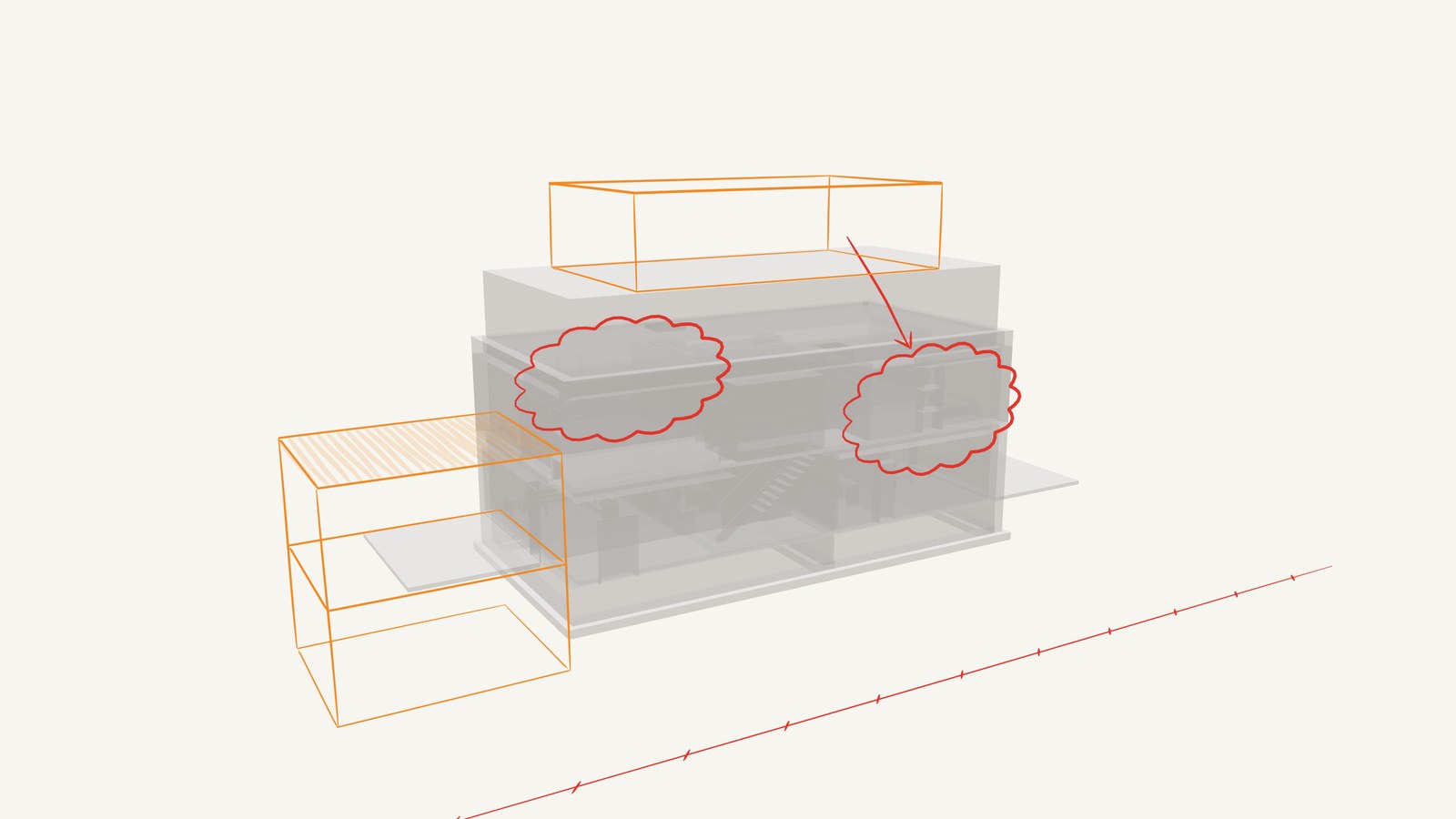 Duplex IFC model with red revision clouds and an orange sketched extension drawn in 3D around it
In a design review, someone takes a screenshot, draws a red circle and sends it round. A week later, nobody remembers which corner it meant. Draw on the model in 3D instead and the mark stays on that corner, from every angle. Below, the same idea runs live on a simple line drawing of a building.
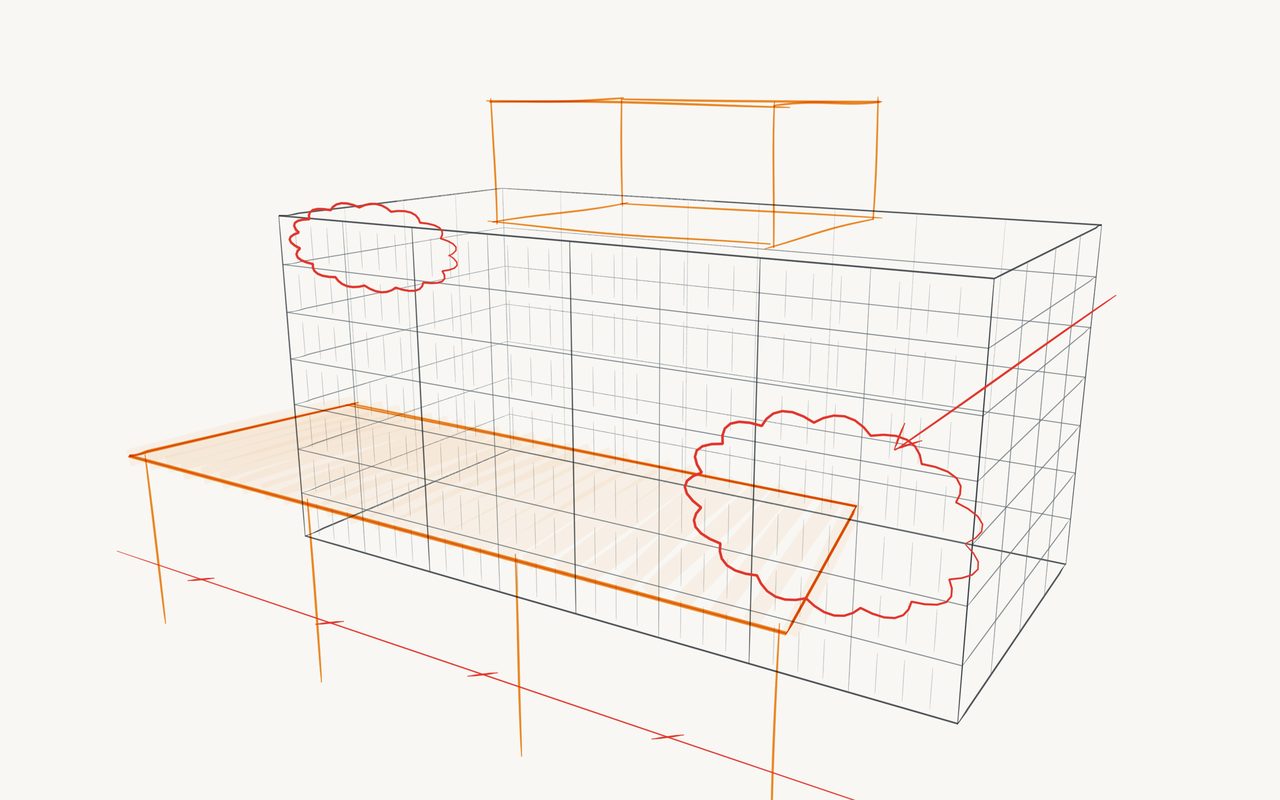
Redline this building
A grey line drawing stands in for the model here, with red clouds and an orange proposal on top. Turn it to see them hold their place, then press Draw and add your own.
Open in the studio
Key takeaways
- Redlines sit in the model's space, so they mean the same from any angle.
- A press on a face puts the drawing plane on that wall or slab.
- Your IFC stays in your browser and is not modified.
- It is for marking up and proposing: it does not create IFC elements.
From your IFC to a sketch
- Open the model Drop one IFC or several into the viewer. Several models travel together.
- View, then 3D sketch The studio opens in a new tab with your models as a backdrop you can turn, show or hide.
- Set the plane from the model With the plane tool, press a face and the plane lies on it. Draw clouds, arrows and proposals on separate layers, one per topic.
- Share it Export an image, send a read-only link, or present it with the laser and audience window.
A real IFC, the public Duplex sample, in the studio. The redlines were placed by a script and are an invented example, not a review of this building.
Where this sits next to BCF
BCF records an issue with a viewpoint, an owner and a status, so that it can be tracked between tools. A sketch cannot do that, and does not try. It is for the earlier moment, when you are still working out what you mean. Once it is decided, raise the issue in BCF and attach the image.
| You need to | Use |
|---|
| Point at a problem from one angle, quickly | A marked-up screenshot |
| Explain something in space, or propose a shape | A 3D sketch over the model |
| Track who fixes what, across tools | BCF |
| Change the design itself | Your authoring tool |
Over a point cloud
Sketching over a survey helps where a model would not exist yet: what stays, what goes, where a new route could run. Lines are always drawn on top, so they stay readable among the points.
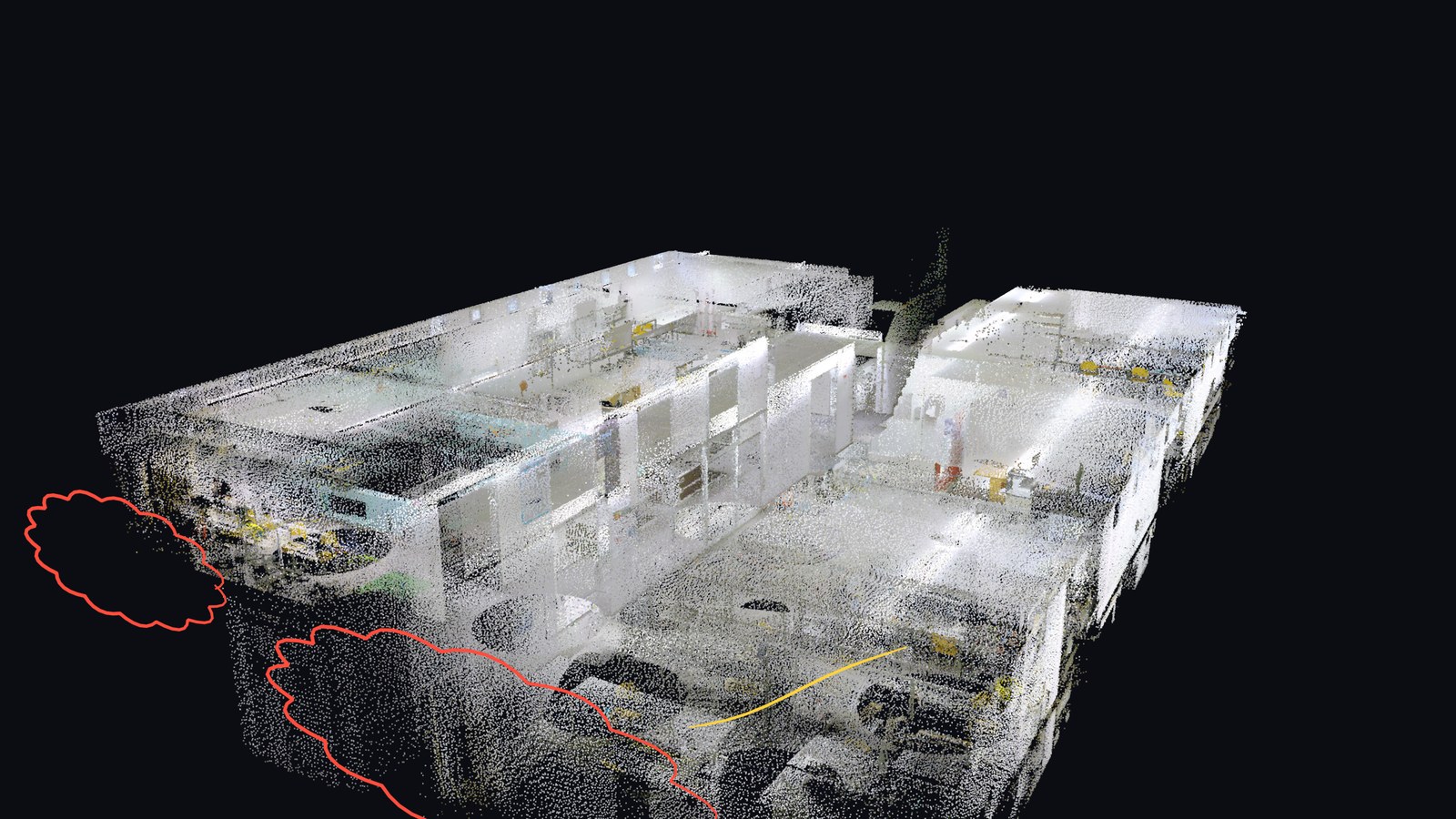 A real scan of about a million points (CRAS Labs @ FEUP), with redlines placed by a script as an example.
What it does not do yet
Sketches do not become IFC elements. Turning strokes into BIM objects is an active research topic[tuw], and people have long combined Grease Pencil with IFC[osarch] in Blender, but we do not offer that conversion. Live drawing with several people at once is not available either. Very large models depend on your device's memory, and we have not yet tried this on physical tablets.
Sketch Over an IFC Model in 3D: Redlines and Ideas That Stay Where You Drew Them